Wordpress
Make Your Form Accessiblility to Everyone
Form accessibility is the practice of building forms on websites and web applications for people with disabilities
Est: 4 min
Updated: July 2, 2023
Form accessibility is the practice of building forms on websites and web applications for people with disabilities. This includes people who are blind, visually impaired, deaf, hard of hearing, or have other disabilities that affect their ability to use computers.
Form accessibility is important because it ensures that everyone can use your website or web application, regardless of their disability. This is important for several reasons, including:
This is the law. In the United States, the Americans with Disabilities Act (ADA) requires that all public accommodations, including websites, be accessible to people with disabilities.
It’s good for business. A study by the National Federation of the Blind found that businesses that make their websites accessible can expect to see a 12% increase in sales.
It is the right thing to do. Everyone deserves to be able to access the information and services they need, regardless of their disability.
Form accessibility benefits everyone, including people with disabilities, people who use mobile devices, and people who use slow Internet connections.
Checkout Fluent Form Website
There are several things you can do to make your forms more accessible. Here are a few tips:
Use clear and concise labels for all form fields. Labels must be descriptive and accurately reflect the information being requested.
Use the appropriate form field types. For example, use text input fields for text input, checkboxes for yes/no questions, and dropdown menus to select from a list of options.
Provide clear instructions on how to complete the form. Instructions should be easy to understand and should be located near the form fields to which they apply.
Use keyboard navigation. It allows users to navigate through the form using the keyboard instead of the mouse.
Use screen reader friendly markup. This will allow screen readers to read the form fields and labels correctly.
Avoid using captcha. Captcha may be difficult to use for people with disabilities. If you must use captcha, make sure users have an alternative way to verify their identity, such as entering a code sent to their email address.
Use a consistent layout for all your forms. This will make it easier for users to know how to use your form.
Test your forms with a variety of users, including those with disabilities. This will help you identify any accessibility issues that need to be addressed.

Checkout Fluent Form Website
Making your forms accessible is important for several reasons. By following the tips in this guide, you can make your forms more accessible to everyone.
Here are some additional tips for making your forms more accessible:
Use a large font size and a high contrast color scheme. This will make it easier for visually impaired users to read form fields and labels.
Provide a way for users to zoom in on the form. This will make it easier for users with low vision to see form fields and labels.
Use keyboard shortcuts to skip form fields that are not needed. This will make it easier for the users to fill the form quickly and easily.
Give users feedback when they fill out forms. This will help users avoid making mistakes.
Test your forms with a variety of users, including those with disabilities. This will help you identify any accessibility issues that need to be addressed.
By following these tips, you can make your forms more accessible to everyone. This will make your website or web application more user friendly and inclusive.
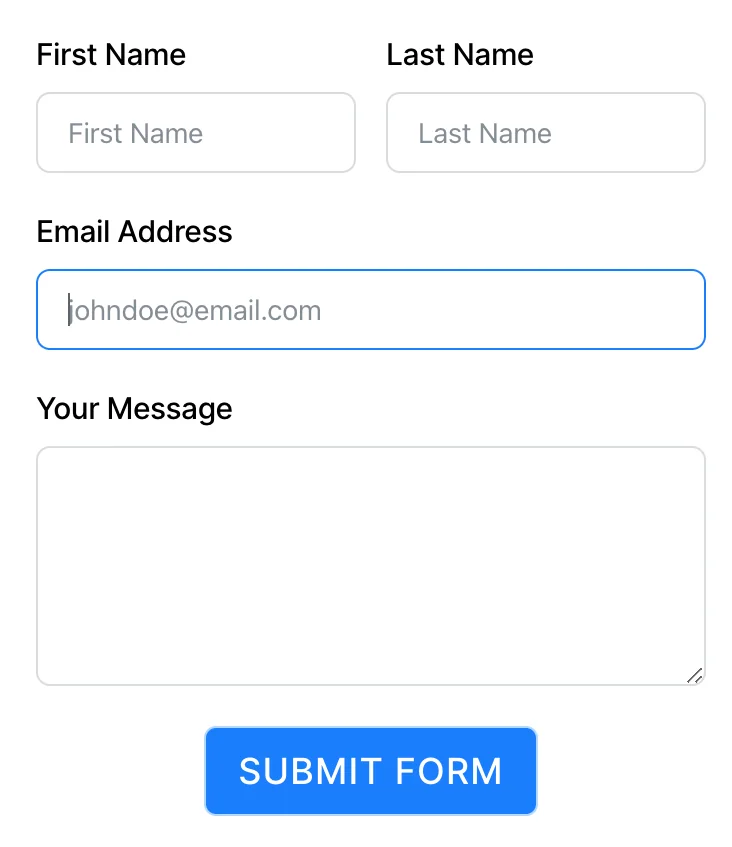
Form important field must be shown at top and put text area to receive long message from the users.
Breakdance is the ultimate website builder plugin for WordPress, offering a wide range of benefits and features to simplify the website creation process. With its intuitive drag-and-drop interface, versatile templates, and responsive design capabilities, Breakdance empowers users to build visually appealing and functional websites without the need for coding skills.
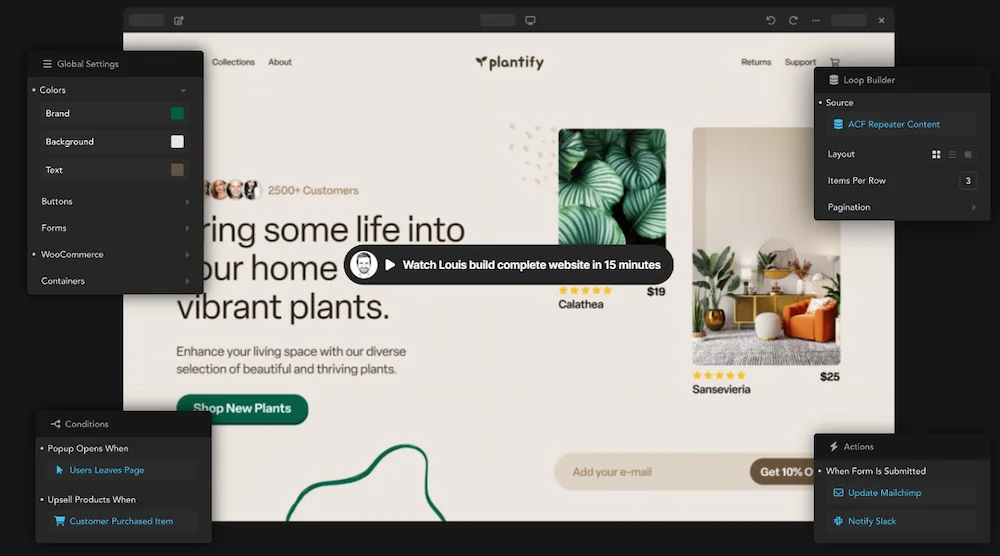
Checkout Breakdance page builder website
By choosing Breakdance, you gain access to powerful features that enhance your website’s performance, such as seamless WordPress integration, fast loading speeds, and optimization for mobile devices. The plugin also provides excellent customer support to assist you throughout your website-building journey.
Furthermore, Breakdance offers flexible pricing plans tailored to different needs, ensuring that individuals, small businesses, and large agencies can find a suitable option within their budget.
Don’t settle for a mediocre website when you can unlock your creative potential and elevate your online presence with Breakdance. Start building your dream website today and experience the transformation of your WordPress site into a stunning masterpiece.