Improve Website Performance Instantly Using Perfmatters for WordPress
Boost your WordPress site speed with Perfmatters! Discover its powerful features like script manager, lazy loading, and database optimization to improve performance and SEO.
Est: 5 min
Updated: July 1, 2025
Sources: Perfmatters
🟢 Improve Website Performance using Perfmatters
What is Perfmatters?
Perfmatters is a powerful WordPress performance plugin designed to make your site faster without the technical headaches. It gives you control over all the little things WordPress loads by default—and helps you turn off what you don’t need. Built by performance geeks, for everyday users.
Why Website Speed Matters
The Impact of Slow Sites on SEO & UX
Let’s face it—nobody likes a slow website. Google doesn’t either. A sluggish site means higher bounce rates, lower SEO rankings, and frustrated visitors. If your site takes longer than 3 seconds to load, you’re already losing visitors.
Why Performance Plugins Are Necessary
Sure, you can tweak code or mess with functions.php… but why not just flip a switch? That’s what Perfmatters allows—without breaking things. It’s all about simplicity and speed.
🚀 Core Features of Perfmatters
Script Manager
Disable Unused Scripts Per Page/Post
Ever noticed WooCommerce loading on non-shop pages? Or Contact Form 7 running sitewide? With the Script Manager, you can selectively disable plugins and scripts where they aren’t needed. This cuts down unnecessary bloat.
Reduce HTTP Requests
Each extra script or style sheet is another HTTP request. Less of them means a faster site. Perfmatters helps eliminate the clutter.
Disable WordPress Bloat
Remove Emojis, Dashicons, RSD, WLW, REST API, etc.
WordPress loads a lot of junk by default—like emojis (even if you don’t use them), and APIs you probably never touch. Perfmatters lets you remove these with a single click.
Clean Up the Head Section
Get rid of useless meta tags and version numbers that not only slow down your site but can pose security risks.
Preloading, DNS Prefetching & Preconnect
Optimize External Resource Load Time
Perfmatters gives you tools to preload important files (like fonts), prefetch DNS requests, and preconnect to third-party domains—making your page load feel instant.
Lazy Loading
Lazy Load Images, Iframes, and Videos
Instead of loading everything at once, lazy loading waits until the user scrolls near the content. Perfmatters does this seamlessly—resulting in faster initial load and better performance metrics.
Database Optimization
Clean Post Revisions, Spam, Transients
Over time, your database gets bloated. Old revisions, trashed posts, and expired transients pile up. Perfmatters includes a built-in cleaner that keeps your database lean and clean.
Host Google Analytics Locally
Speed Up GA Without Losing Data
Most people use Google Analytics, but loading it externally slows things down. Perfmatters lets you host the GA script on your own server—speed with accuracy.
WooCommerce Optimization
Disable Cart Fragments, Scripts, and Styles When Not Needed
WooCommerce is a beast. But if your homepage isn’t a store, it shouldn’t be loading cart fragments. Perfmatters helps you tame WooCommerce and load it only where it’s needed.
CDN Rewrite and Integration
Deliver Static Assets via CDN
If you’re using a Content Delivery Network (CDN), Perfmatters lets you rewrite URLs so your static files (like CSS and JS) load from the nearest location, reducing latency.
Delay JavaScript Execution
Improve Page Speed Scores
By delaying non-critical JavaScript until after user interaction (like scrolling or clicking), Perfmatters improves your Largest Contentful Paint (LCP) and other Core Web Vitals.
Lightweight Plugin Design
No Bloat, No Conflict
Unlike bulky performance plugins, Perfmatters is lightweight, modular, and clean. It plays nice with any theme or plugin.
✅ Benefits of Using Perfmatters
Real-World Speed Boosts
We’re talking about seconds off your load time, not milliseconds. Sites using Perfmatters report 20–60% improvements.
Better PageSpeed & Core Web Vitals Scores
Perfmatters directly addresses the metrics Google cares about: FCP, LCP, CLS, TTI. Get better scores—and better rankings.
User-Friendly Interface
No need to be a developer. The dashboard is super intuitive. If you can toggle a switch, you can optimize your site.
Works with Any Theme & Plugin
Whether you’re using Astra, Elementor, Divi, or something custom—Perfmatters is universally compatible.
🌟 How Perfmatters Stands Out
Comparison with Other Optimization Plugins
Perfmatters vs WP Rocket
WP Rocket is amazing for caching. But it doesn’t offer fine-grain control over scripts or bloat. That’s where Perfmatters shines—they complement each other.
Perfmatters vs LiteSpeed Cache
LiteSpeed Cache is fantastic if you’re on a LiteSpeed server. But Perfmatters adds advanced features like script management and GA hosting, even on shared hosting.
Perfmatters is like that silent hero working behind the scenes to make your website ridiculously fast. If speed, UX, and SEO matter to you—and they should—then Perfmatters is a must-have tool. It’s clean, it’s fast, and it works without hassle.
❓ FAQs
1. Is Perfmatters beginner-friendly?
Yes, it’s super intuitive. No coding required. Toggle switches and you’re done.
2. Can I use Perfmatters with WP Rocket or other caching plugins?
Absolutely. Perfmatters complements most caching plugins perfectly.
3. Will it break my site?
Unlikely. Changes are reversible, and there’s minimal risk when using recommended settings.
4. How often should I run database optimization?
Depends on your content volume. For most, once a month is plenty.
5. Is there a free version of Perfmatters?
Nope, it’s premium only. But the value you get is well worth the price.
Also know about “Breakdance” is the ultimate website builder plugin for WordPress For Business:
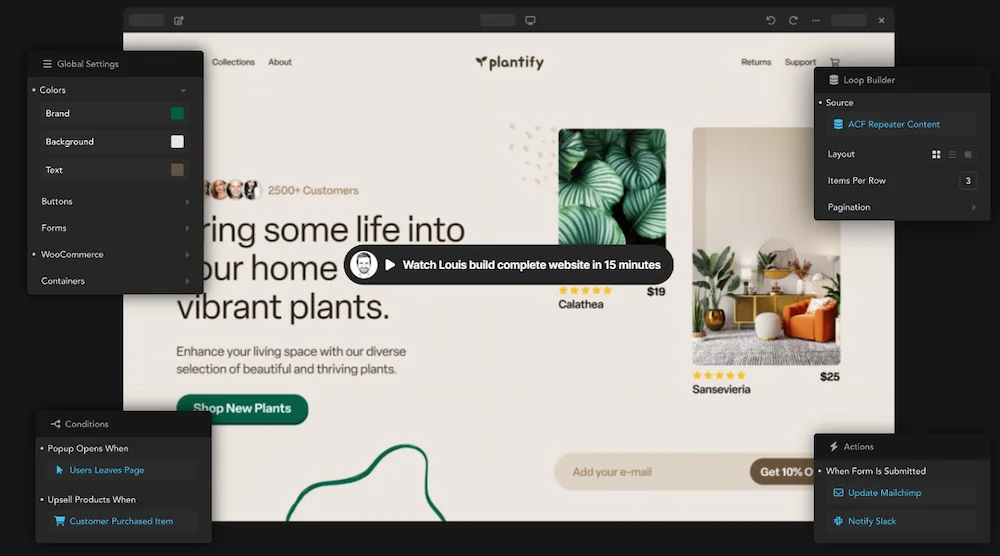
Breakdance is the ultimate website builder plugin for WordPress, offering a wide range of benefits and features to simplify the website creation process. With its intuitive drag-and-drop interface, versatile templates, and responsive design capabilities, Breakdance empowers users to build visually appealing and functional websites without the need for coding skills.
By choosing Breakdance, you gain access to powerful features that enhance your website’s performance, such as seamless WordPress integration, fast loading speeds, and optimization for mobile devices. The plugin also provides excellent customer support to assist you throughout your website-building journey.
Furthermore, Breakdance offers flexible pricing plans tailored to different needs, ensuring that individuals, small businesses, and large agencies can find a suitable option within their budget.
Don’t settle for a mediocre website when you can unlock your creative potential and elevate your online presence with Breakdance. Start building your dream website today and experience the transformation of your WordPress site into a stunning masterpiece.