Customfield Metabox Plugin for WordPress: Enhance Your Website’s Functionality
Customfield Metabox Plugin for WordPress: Effortlessly create, customize, and boost productivity. Download now!
Est: 8 min
Updated: July 19, 2023
Sources: Meta Box
Table of Contents
Introduction:
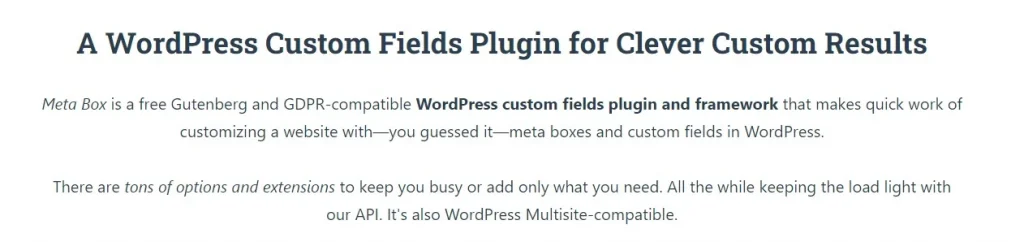
Customfield Metabox Plugin for WordPress: Managing and organizing custom fields in WordPress can be a daunting task, but not anymore! Introducing the Customfield Metabox plugin, a powerful tool that simplifies the process of creating and managing custom fields in WordPress websites.
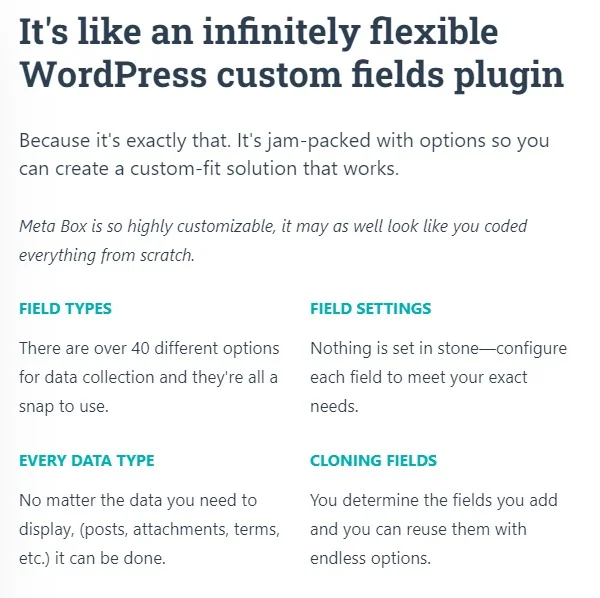
The Customfield Metabox plugin offers a user-friendly interface that allows you to create and manage custom fields effortlessly. With just a few clicks, you can define custom fields and specify their types, such as text, numbers, checkboxes, or dropdown menus. Say goodbye to manual coding or complex configurations!
Extend Functionality with Metaboxes
Metaboxes are an essential component of WordPress, allowing you to add additional information or settings to different sections of your website. The Customfield Metabox plugin empowers you to create custom metaboxes and associate them with specific post types, pages, or custom post types. This enables you to extend the functionality of your website by adding custom fields where you need them most.
Flexible and Versatile Customization
Customization is key, and the Customfield Metabox plugin offers a range of options to tailor your custom fields and metaboxes to fit your unique requirements. Define default values, set field validations, control the visibility of fields based on conditions, and even group related fields together. The plugin gives you full control over the appearance and behavior of your custom fields.
The Customfield Metabox plugin seamlessly integrates with your WordPress installation, ensuring compatibility with popular themes and plugins. Whether you’re using a custom theme or a widely used framework, the plugin adapts smoothly, ensuring your custom fields and metaboxes function flawlessly without any conflicts.
Boost Productivity and Efficiency
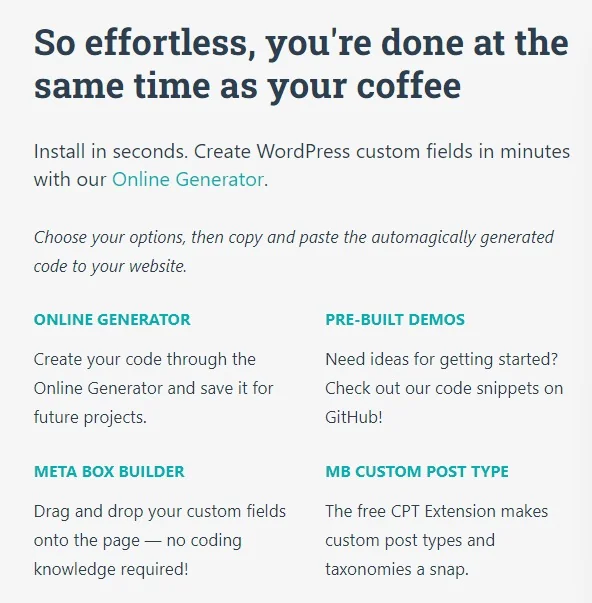
By simplifying the management of custom fields, the Customfield Metabox plugin significantly enhances your productivity and efficiency. You can quickly create and manage custom fields, saving valuable time and effort. With a streamlined workflow, you can focus on creating engaging content and optimizing your website’s performance.
Ready to take your WordPress website to the next level? The Customfield Metabox plugin is your go-to solution for efficient custom field management. Easily create and manage custom fields, extend functionality with metaboxes, and enjoy a seamless integration with your WordPress ecosystem.
Download the Customfield Metabox plugin today and unlock the power of custom fields in WordPress. Enhance your website’s functionality, boost productivity, and create a truly customized experience for your users. Take control of your custom fields and elevate your WordPress website with Customfield Metabox.
The Customfield Metabox plugin for WordPress provides a seamless solution for managing and organizing custom fields on your website. With its user-friendly interface, you can effortlessly create and customize custom fields and metaboxes, extending the functionality of your WordPress site. The plugin offers flexibility, compatibility, and a range of customization options to suit your unique needs. By simplifying the management of custom fields, the Customfield Metabox plugin boosts productivity and efficiency, allowing you to focus on creating engaging content and optimizing your website’s performance. Take control of your custom fields and elevate your WordPress website with the Customfield Metabox plugin. Download it today and unlock the power of customization.
Perfmatters is a lightweight yet robust plugin designed to enhance the performance of your WordPress website. It focuses on essential optimizations and provides you with the tools you need to optimize your site without sacrificing functionality. By taking advantage of Perfmatters, you can achieve faster load times, reduced page size, and improved overall performance.
To add a custom Meta Box in WordPress, you can utilize the add_meta_box() function in your theme or plugin development code. This function allows you to define a new Meta Box and specify its settings, including the callback function to display the content. You can add custom fields and controls within the Meta Box to gather and store additional information for your posts, pages, or custom post types.
What is the Meta Box plugin in WordPress?
The Meta Box plugin in WordPress is a powerful tool that simplifies the process of creating and managing custom Meta Boxes. It provides a user-friendly interface and additional features to enhance the customization of your website. The Meta Box plugin allows you to easily create custom fields, associate them with specific post types, and define their appearance and behavior. It offers advanced functionality and compatibility with various themes and plugins, making it a popular choice among developers.
How do I get a custom field in Meta Box?
To get a custom field value in Meta Box, you can use the rwmb_meta() function provided by the Meta Box plugin. This function retrieves the value of a custom field associated with a specific post or page. You need to provide the field’s unique ID or key as an argument to fetch the corresponding value. Using this function, you can retrieve and display custom field data within your WordPress templates or other areas of your website.
Is Meta Box free?
Yes, the Meta Box plugin offers a free version that includes basic features for creating and managing custom fields and Meta Boxes. The free version allows you to define custom fields, specify their types, and associate them with different post types. However, the plugin also offers a premium version with additional advanced functionalities and dedicated support. The premium version provides more options, integrations, and extensions for a more comprehensive custom field management experience.
What is the difference between custom field and Meta Box in WordPress?
In WordPress, a custom field is a specific piece of information or data associated with a post, page, or custom post type. It can store various types of data such as text, numbers, dates, or even more complex data structures. On the other hand, a Meta Box is a container that holds one or more custom fields. It allows you to group and organize related custom fields within the WordPress admin area. Meta Boxes provide a structured way to display and manage custom field data, making it easier for users to input and view information.
How do I find Meta Box value in WordPress?
To find the value of a Meta Box in WordPress, you can use the get_post_meta() function. This function retrieves the value of a custom field associated with a specific post or page. You need to provide the post ID and the meta key associated with the Meta Box as arguments to fetch the corresponding value. By using this function, you can access and display the Meta Box value within your WordPress templates or other areas of your website.
How do I create a custom field in WordPress without plugins?
To create a custom field in WordPress without using plugins, you can utilize the add_post_meta() or update_post_meta() functions. These functions allow you to set and update custom field values programmatically. By including the necessary code in your theme’s functions.php file or in a custom plugin, you can define and manage custom fields directly within your codebase. Remember to use appropriate hooks or actions to ensure your code is executed at the right time.
How do I customize metadata?
To customize metadata in WordPress, you can utilize various techniques depending on your requirements. You can create custom fields using plugins or custom code to gather specific information for your posts or pages. You can also modify the appearance and behavior of metadata using hooks and filters provided by WordPress. Additionally, you can customize the way metadata is displayed on your website by modifying the appropriate template files or using theme customization options.
What is a custom field plugin?
A custom field plugin in WordPress is a plugin that provides additional functionality for creating, managing, and displaying custom fields. These plugins often offer user-friendly interfaces, advanced features, and compatibility with different themes and plugins. Custom field plugins allow you to define custom fields, associate them with specific post types, and customize their appearance and behavior. They simplify the process of managing custom fields and provide flexibility in gathering and displaying additional information on your website.
How do I enable custom fields in WordPress?
Custom fields are enabled by default in WordPress, and you can start using them right away. To utilize custom fields, you can edit your post or page and scroll down to the “Custom Fields” meta box. However, if the “Custom Fields” meta box is not visible, you can enable it by clicking on the “Screen Options” button in the top-right corner of the WordPress admin panel and checking the “Custom Fields” checkbox. Once enabled, you can add and manage custom fields for your posts, pages, or custom post types.
How do I use custom meta fields?
To use custom meta fields in WordPress, you need to define them using functions like add_meta_box(). These functions allow you to create custom Meta Boxes and associate them with specific post types. Within the Meta Box, you can add custom fields using various input types such as text, checkboxes, select dropdowns, or file uploads. Once defined, these custom meta fields can be used to store and retrieve additional information associated with your posts or pages. You can access and display the values of these custom meta fields within your WordPress templates or other areas of your website.
What is an example of a custom field?
An example of a custom field in WordPress could be a “Featured Image” field. This custom field allows you to upload or select an image that will be displayed prominently on a post or page. It provides an additional visual element to enhance the appearance and engagement of your content. Other examples of custom fields include “Author Bio,” “Product Price,” “Event Date,” or “Location.”
What are custom meta data types?
Custom meta data types refer to the different types of data that can be stored in custom meta fields. WordPress supports various meta data types, including text, numbers, dates, checkboxes, select dropdowns, file uploads, or even more complex data structures like arrays or serialized data. The choice of meta data type depends on the nature of the information you want to store. You can select the appropriate data type when defining the custom meta field, ensuring that it accurately represents the intended data.
How do I get all custom fields in WordPress?
To get all custom fields associated with a specific post or page in WordPress, you can use the get_post_custom() function. This function retrieves an array of all the custom fields and their corresponding values. By looping through the array, you can access and display all the custom field data associated with the post or page.
How do I show custom fields in the admin list in WordPress?
To show custom fields in the admin list view in WordPress, you can modify the columns displayed using hooks like manage_posts_columns or manage_pages_columns. By adding custom column definitions and specifying the corresponding data to display, you can include the values of custom fields in the admin list. This allows you to have a quick overview of the custom field data for each post or page without having to open each individual entry.